

Screenshots
1 image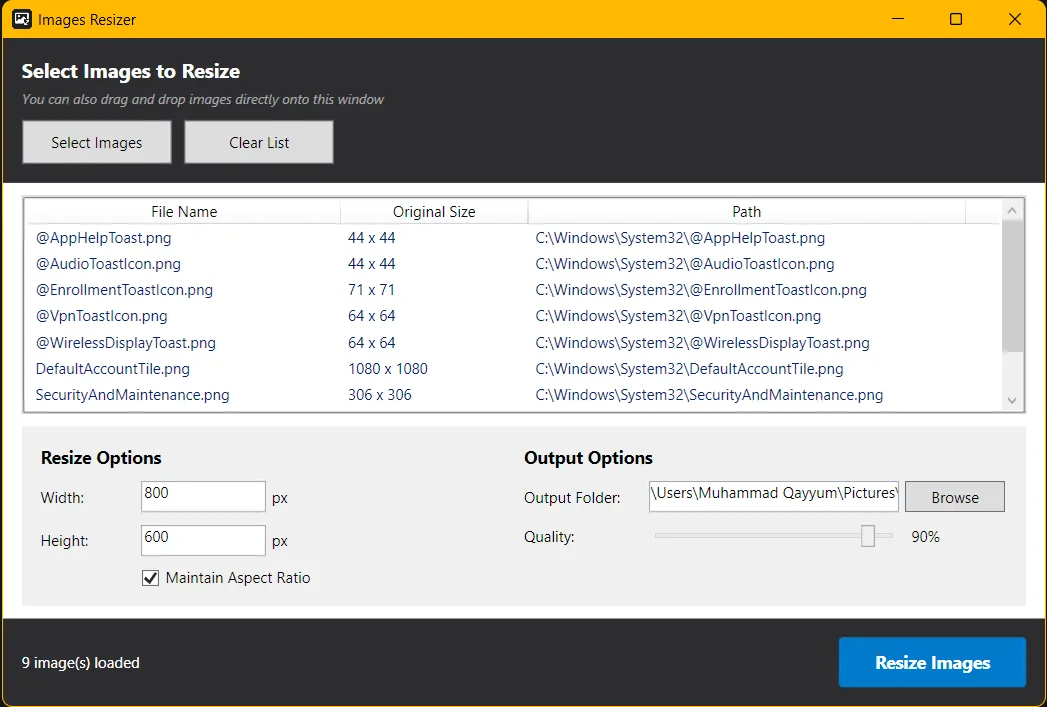
Description
Images Resizer is a lightweight yet powerful desktop application built for users who need fast, precise, and bulk image resizing without compromising quality. Whether you're a developer, designer, content creator, or everyday user, this tool streamlines the entire image optimization workflow.
With its clean and intuitive interface, you can simply drag and drop images or select them manually. The app supports batch resizing, allowing you to process multiple files simultaneously—saving time and effort. You can define custom width and height values while optionally maintaining the original aspect ratio to prevent distortion.
The built-in quality control slider ensures that your images remain visually sharp while reducing file size, making it ideal for web optimization and faster loading speeds. Output management is seamless, letting you choose your preferred destination folder for processed images.
Key features include:
Batch image resizing for multiple files
Maintain aspect ratio option to avoid stretching
Adjustable image quality for optimized file size
Simple drag-and-drop interface
Fast processing with minimal resource usage
Ideal for web, mobile apps, and storage optimization
Images Resizer is perfect for preparing assets for websites, reducing image sizes for faster uploads, optimizing media for social platforms, or organizing large image collections efficiently. It combines speed, simplicity, and control into one reliable tool.
With its clean and intuitive interface, you can simply drag and drop images or select them manually. The app supports batch resizing, allowing you to process multiple files simultaneously—saving time and effort. You can define custom width and height values while optionally maintaining the original aspect ratio to prevent distortion.
The built-in quality control slider ensures that your images remain visually sharp while reducing file size, making it ideal for web optimization and faster loading speeds. Output management is seamless, letting you choose your preferred destination folder for processed images.
Key features include:
Batch image resizing for multiple files
Maintain aspect ratio option to avoid stretching
Adjustable image quality for optimized file size
Simple drag-and-drop interface
Fast processing with minimal resource usage
Ideal for web, mobile apps, and storage optimization
Images Resizer is perfect for preparing assets for websites, reducing image sizes for faster uploads, optimizing media for social platforms, or organizing large image collections efficiently. It combines speed, simplicity, and control into one reliable tool.