

Screenshots
1 image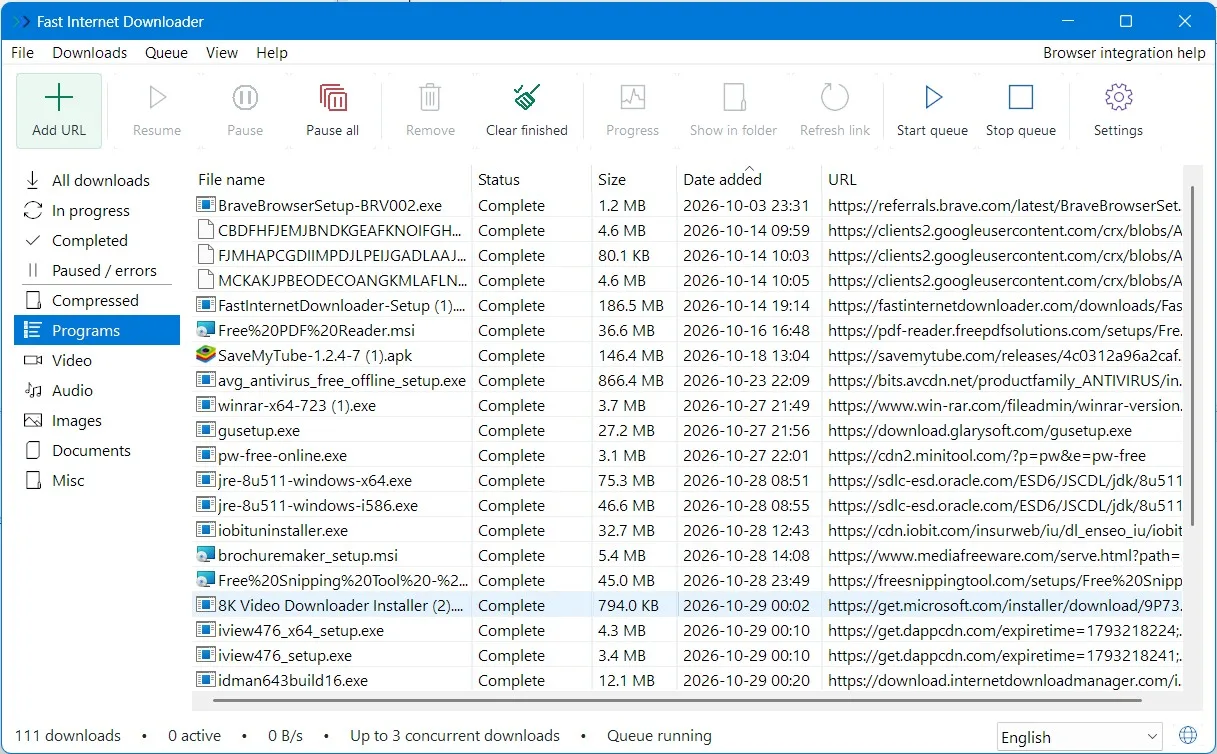
Description
Take control of your downloads with Fast Internet Downloader for Windows. Download files, save videos and audio, organize your queue, and convert PDFs from one convenient app.
Manage your downloads
Use up to 16 connections per file, pause and resume supported transfers, set speed limits, and organize downloads into folders. Browser integration lets you send links directly to FID, while saved history keeps your downloads available between sessions.
Save videos, playlists, and channels
Download videos from YouTube and other supported websites. Choose available video qualities, including 4K and 8K when offered by the source, or save audio only. Preview playlist and channel videos with thumbnails, select the items you want, and automatically load additional batches. Channel monitoring can check for new uploads while FID is running.
Import links and schedule downloads
Paste multiple links or import a text file to prepare downloads together. Choose a start date and time for individual files, bulk downloads, playlists, or channel videos. Change schedules from the download list and keep your choices across app restarts. Scheduled downloads run while FID is open and the queue is enabled.
Work with PDFs offline
Right-click a completed PDF to convert text-based content into an editable Word document, export pages as images, or extract text. Add password protection or remove it using the existing password. Built-in PDF tools process files locally and save separate outputs, keeping your originals intact.
Fast Internet Downloader brings everyday downloading, video saving, and practical PDF tools together in a familiar Windows interface.